
Setting up a phone system for a small office used to mean an expensive exchange cabinet, a specialist installer, and a week of drilling. Today a team of five to twenty people can go from nothing to a fully featured system — extensions, an automated greeting, voicemail, call transfers — in a weekend, often without anyone touching a screwdriver. The catch is that the process rewards planning: offices that buy hardware first and think second end up with equipment that does not match how they actually take calls.
What follows is the sequence we recommend to any small business building its first proper telephony setup, arranged as seven deliberate steps. Work through them in order and the technical decisions largely make themselves; skip ahead and you will probably buy twice.
Step 1: Map Your Call Flow Before Buying Anything
Grab a whiteboard and answer four questions. How many people need their own extension? What should a caller hear first — a human or a menu offering “press 1 for sales”? Where should an unanswered call go after twenty seconds? And do any calls need recording, whether for training or dispute protection? These answers dictate every purchase that follows. A three-person studio where everyone answers everything needs radically less than a trading firm with separate sales and accounts queues, even though both are “small offices” on paper.
Step 2: Choose Hosted PBX or an On-Site Server
Your system needs a brain, and it can live in two places. A hosted PBX is rented from a provider: you pay monthly per user, they handle updates and uptime, and your office needs nothing but internet and handsets. An on-premise server — often free software like a FreePBX build on a mini PC — carries no subscription and keeps everything under your control, but makes you responsible for backups, security, and repairs. For a first system with no in-house IT person, hosted is almost always the right call; you can migrate to your own server later once the team understands its needs.
Step 3: Get the Internet Connection Right
Voice traffic is light — a single call consumes roughly 100 kbps — but it is intolerant of congestion. Two upgrades matter more than raw speed. First, enable quality-of-service on your router so voice packets jump the queue ahead of downloads and video streams. Second, arrange a backup path, ideally a 4G/LTE SIM in a failover slot, because when your only connection drops, your telephone system drops with it. A mid-tier fibre package with QoS configured will comfortably outperform a premium package left on default settings.
Step 4: Select Handsets to Match Each Role
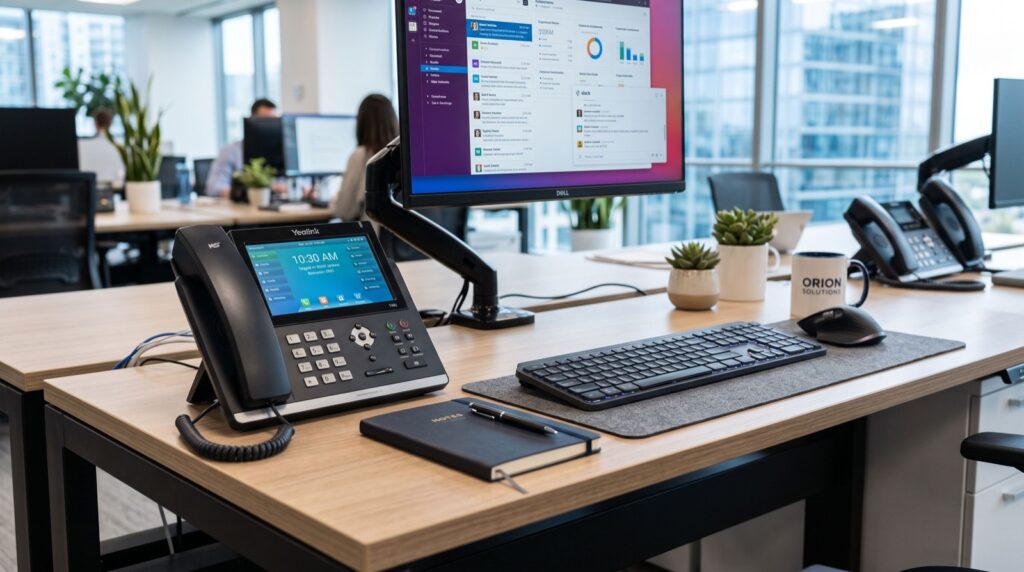
Do not buy one model for every desk. The category most vendors label IP Phone / IP Phones spans a wide range: entry-level two-line sets that suit general staff perfectly, mid-range models with colour screens and programmable keys for anyone who transfers calls all day, and touchscreen units for the front desk. Match the device to the job. The receptionist juggling six lines needs those programmable keys; the accountant who makes four calls a day does not. Buying by role rather than by habit typically trims the hardware budget by a quarter without anyone feeling short-changed.
Step 5: Sort Cabling, Power, and Wireless Users
Wired handsets want two things at the desk: a network point and power. A PoE (Power over Ethernet) switch delivers both down a single cable, eliminating a tangle of adapters and making the whole system trivial to protect with one UPS. For staff who are rarely at a fixed desk — an office manager, a storekeeper, a workshop supervisor — skip the cable entirely and issue a Wi-Fi handset such as the Fanvil W610W, which registers to the same system over your wireless network and travels in a pocket. One or two cordless units usually cover every roaming role a small office has.
Step 6: Configure Extensions, Ring Groups, and Voicemail
With hardware in place, build the logic you mapped in Step 1. Assign each person a short extension number, create ring groups so an incoming sales call rings three desks at once, record a professional greeting for the auto-attendant, and set voicemail to forward messages to email so nothing sits unheard on a handset. Resist the urge to build an elaborate five-layer menu: callers tolerate one short menu at most, and every additional layer costs you hang-ups. Simple flows answered quickly beat clever flows every time.
Step 7: Test Ruthlessly, Then Train the Team
Before announcing the new number, attack the system like an outsider. Call in from a mobile at busy hour. Let it ring out and check the voicemail arrives by email. Transfer a call between two desks, put it on hold, park it, retrieve it. Pull the internet cable and confirm the failover SIM catches the next call. Then run a thirty-minute session with staff — transfers and holds are where new systems publicly embarrass their owners in week one, and half an hour of practice prevents all of it.
Budgeting Honestly, Including the Power Question
A realistic budget for a ten-person office covers handsets, a PoE switch, a UPS, and either the first year of hosted service or a small server — usually less than the annual cost of the analogue lines it replaces. Include backup power without fail, because an IP system without electricity is a paperweight. Some businesses fold this into a broader energy plan: reliable local experts can explain how a rooftop system with net metering not only rides through outages but sells surplus units back to the grid, effectively subsidising the office’s entire IT and telephony load.
Key Takeaways
- Design your call flow on paper first — it determines every hardware and service decision.
- Hosted PBX suits first-time setups; on-premise servers reward offices with IT capability.
- QoS configuration and a 4G failover matter more than raw internet speed.
- Buy handsets by role: basic sets for most desks, key-laden models for heavy transferrers, Wi-Fi cordless for roamers.
- A PoE switch plus one UPS powers and protects every wired phone through a single point.
- Keep auto-attendant menus to a single layer, and test failover before going live.
Wrapping Up
None of the seven steps above is technically difficult; the discipline is in the ordering. Requirements before platform, platform before network, network before hardware, hardware before configuration — follow that chain and a small office can stand up telephony that would have required a six-figure exchange a generation ago, using a weekend and a modest budget.
The reward extends beyond dial tone. A system with ring groups, recorded greetings, and voicemail-to-email makes a ten-person operation present like a far larger one to every caller, and the call logs it generates become a genuine management tool. Build it once, build it in order, and the phone system becomes the rare piece of office infrastructure you set up and then simply stop thinking about.